Classroom Screen

Classroom Screen - Online Whiteboard & Classroom Tools for Teaching Resources

Classroom Screen

Classroom Screen -Introduction

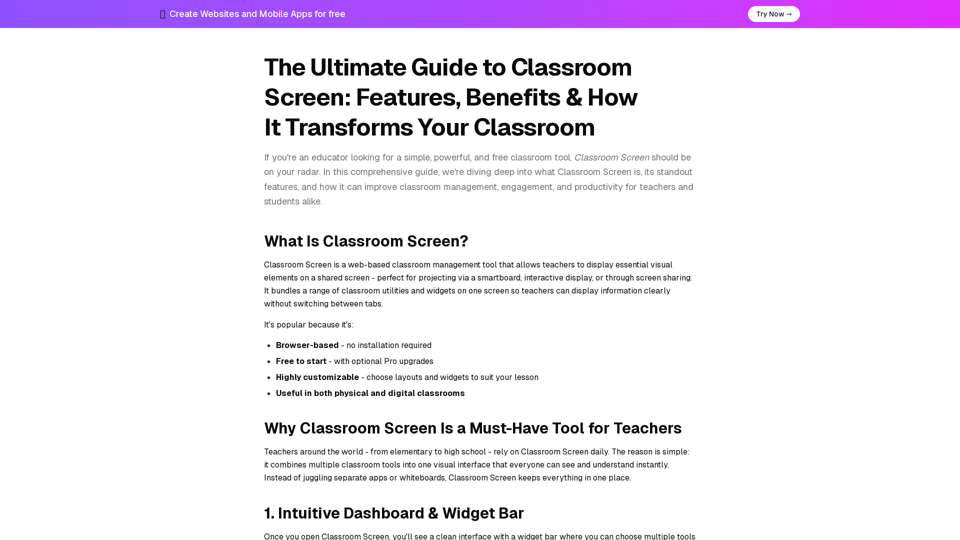
Classroom Screen is an indispensable web-based tool designed to revolutionize classroom management and enhance student engagement. It provides educators with a dynamic platform to display essential visual elements on a shared screen, perfect for projection or screen sharing. This versatile tool consolidates a variety of classroom utilities and widgets, allowing teachers to present information clearly and efficiently without the need to switch between multiple applications. Its browser-based nature means no installation is required, offering immediate accessibility. Classroom Screen is highly customizable, enabling teachers to tailor layouts and widgets to suit diverse lesson plans and teaching styles. Whether in a physical classroom or a digital learning environment, Classroom Screen streamlines daily routines, fosters better communication, and creates a more organized and interactive learning experience for both teachers and students.

Classroom Screen -Features

Product Features of Classroom Screen

Overview

Classroom Screen is a versatile, web-based classroom management tool designed to enhance teaching and learning environments. It provides a centralized platform for teachers to display essential visual elements and interactive widgets on a shared screen, suitable for projection via smartboards, interactive displays, or screen sharing in both physical and digital classrooms.

Main Purpose and Target User Group

  • Main Purpose: To simplify classroom management, improve student engagement, and boost productivity by consolidating various classroom utilities into a single, highly customizable visual interface.
  • Target User Group: Educators across all levels, from elementary to high school, including new teachers, veteran educators, and digital learning enthusiasts, who are looking for a simple, powerful, and free tool to manage their classrooms effectively.

Function Details and Operations

  • Intuitive Dashboard & Widget Bar:
    • Clean interface with a widget bar for selecting multiple tools.
    • Widgets are draggable, resizable, and customizable in layout.
    • Ability to save preferred widget layouts (free account).
    • Customizable default widget settings.
    • Real-time annotation tool for drawing on the screen.
  • Time & Task Management Tools:
    • Clock: Displays current time in digital or analog format.
    • Timer: Sets countdowns for tasks.
    • Stopwatch: Tracks elapsed time.
    • Event Countdown: Counts down to specific class events.
  • Engagement & Interaction Widgets:
    • Poll Widget: Gathers instant student feedback via a code (joincrs.com).
    • QR Code Generator: Creates scannable QR codes from any URL for quick resource access.
    • Random Name Picker: Selects students fairly.
    • Group Maker: Quickly splits the class into balanced groups.
  • Classroom Management Tools:
    • Traffic Light: Signals expected student behavior (quiet, attentive, working freely).
    • Work Symbols: Displays visual cues for work expectations (e.g., "silence," "whisper," "pair work").
    • Noise Level Monitor: Uses the device's microphone to display a live noise meter, helping students self-regulate.
  • Customization & Personalization:
    • Backgrounds & Visuals: Hundreds of themed, educational, decorative, or calming backgrounds; ability to upload custom images or GIFs.
    • Stickers: Personalize the screen and create a welcoming environment.
    • Drawing & Text Tools: Add text boxes for agendas, instructions, objectives, or reminders; drawing widget for sketching diagrams or annotating.
  • Multimedia Integration:
    • Video Widget: Embeds and plays YouTube videos directly within Classroom Screen without switching tabs, maintaining visual context.
  • Lesson Planning & Organization (Pro Features):
    • Save and organize screens into workspaces.
    • Create custom backgrounds.
    • Save up to 100 student name lists.
    • Share screens with colleagues via public links.
    • Access undo history and extended customization options.
  • Accessibility & Remote Learning Support:
    • Browser-based, no installation required.
    • Compatible with screen sharing on video conferencing platforms (Zoom, Teams, Google Meet) for online lessons.

User Benefits

  • Enhanced Classroom Management: Visually establishes routines, expectations, and time management, reducing the need for verbal reminders.
  • Increased Student Engagement: Interactive tools like polls, random name pickers, and group makers promote participation and fairness.
  • Improved Productivity: Consolidates multiple tools into one interface, saving teachers time and effort.
  • Flexibility and Customization: Adapts to different lessons, subject areas, and teaching styles with highly customizable layouts and widgets.
  • Clarity and Focus: Keeps all essential information and tools on one screen, minimizing distractions and maintaining student focus.
  • Support for Hybrid and Remote Learning: Seamlessly transitions between in-person and online teaching environments.
  • Cost-Effective: Free to start, with optional Pro upgrades for advanced features.

Compatibility and Integration

  • Browser-Based: No installation required, accessible from any web browser.
  • Screen Sharing: Integrates with video conferencing platforms like Zoom, Microsoft Teams, and Google Meet for remote learning.
  • Device Compatibility: Works with smartboards, interactive displays, and any device capable of screen sharing.

Access and Activation Method

  • Access: Web-based, accessible by visiting classroomscreens.net.
  • Activation: Free to start, with optional Pro upgrades available for enhanced features and long-term planning capabilities.
Classroom Screen -Frequently Asked Questions

What is Classroom Screen?

Classroom Screen is a free, web-based classroom management tool that allows teachers to display essential visual elements and utilities on a shared screen. It bundles various classroom tools and widgets onto one screen, making it easy to display information clearly without switching between tabs. It's browser-based, highly customizable, and useful in both physical and digital classrooms.

How can Classroom Screen improve my classroom management and engagement?

Classroom Screen offers a wide range of features designed to enhance classroom management and engagement. It includes time and task management tools like clocks, timers, and stopwatches to help students stay on task. Engagement widgets such as polls, QR code generators, random name pickers, and group makers promote interaction and participation. Classroom management tools like traffic lights, work symbols, and a noise level monitor help establish routines and expectations visually, reducing the need for constant verbal reminders.

Is Classroom Screen free to use?

Yes, Classroom Screen is free to start and offers a comprehensive set of features. There are optional Pro upgrades available that enhance long-term planning, allowing you to save and organize screens, create custom backgrounds, and access extended customization options.

Can I use Classroom Screen for remote or hybrid learning?

Absolutely! Classroom Screen is ideal for online lessons. Teachers can share their screen through video conferencing platforms like Zoom, Teams, or Google Meet to provide clear visual instructions, maintain interactive elements like timers and polls, and even use webcams to stay connected with students. This versatility makes it perfect for hybrid learning environments.

What kind of customization options does Classroom Screen offer?

Classroom Screen allows for significant customization. You can choose from hundreds of backgrounds or upload your own images and GIFs. It also offers stickers to personalize your screen, and drawing and text tools to add agendas, instructions, or annotate notes. Pro users can save custom backgrounds and organize screens into workspaces.

What are some key features of Classroom Screen?

Key features include:

Intuitive Dashboard & Widget Bar

Draggable, resizable widgets for customization.

Time & Task Management Tools

Clock, Timer, Stopwatch, Event Countdown.

Engagement & Interaction Widgets

Poll Widget, QR Code Generator, Random Name Picker, Group Maker.

Classroom Management Tools

Traffic Light, Work Symbols, Noise Level Monitor.

Customization & Personalization

Backgrounds, Stickers, Drawing & Text Tools.

Multimedia Integration

Video Widget for embedding YouTube links.

Lesson Planning & Organization (Pro)

Save screens, organize workspaces, share screens.

Classroom Screen Login

https://classroomscreens.net/

Classroom Screen Sign up

https://classroomscreens.net/

Classroom Screen -Data Analysis

Latest Traffic Information

  • Monthly Visits

    -

  • Bounce Rate

    0.00%

  • Pages Per Visit

    0.00

  • Visit Duration

    00:00:00

  • Global Rank

    -

  • Country Rank

    -

Visits Over Time

Traffic Sources

  • direct:
    0.00%
  • referrals:
    0.00%
  • social:
    0.00%
  • mail:
    0.00%
  • search:
    0.00%
  • paidReferrals:
    0.00%
More data

Classroom Screen - Alternative

Wordware  AI

Wordware.ai: Discover Wordware AI, your ultimate destination for advanced AI writing tools and automated writing solutions. Harness the power of natural language processing for seamless content generation. Our collaborative prompt engineering IDE empowers users to create high-quality content effortlessly. Elevate your writing experience with Wordware AI today!

--
Making Today

Making Today - Stay Organized with the Perfect All-in-One Dashboard and Date Picker

--
Me.bot

Me.bot - Your AI Assistant and Personal Companion for Mobile Apps and Brain Extension

--
Mappify

Mappify - Multi-Chat AI Models with GPT-4o and Claude on Mindmap Canvas for Enhanced Geocoding

--
More Tags about: Classroom Screen