Claude Cowork

Claude Cowork - AI Collaboration & Team Productivity: A Research Preview of Our Large Language Model

Claude Cowork

Claude Cowork -Introduction

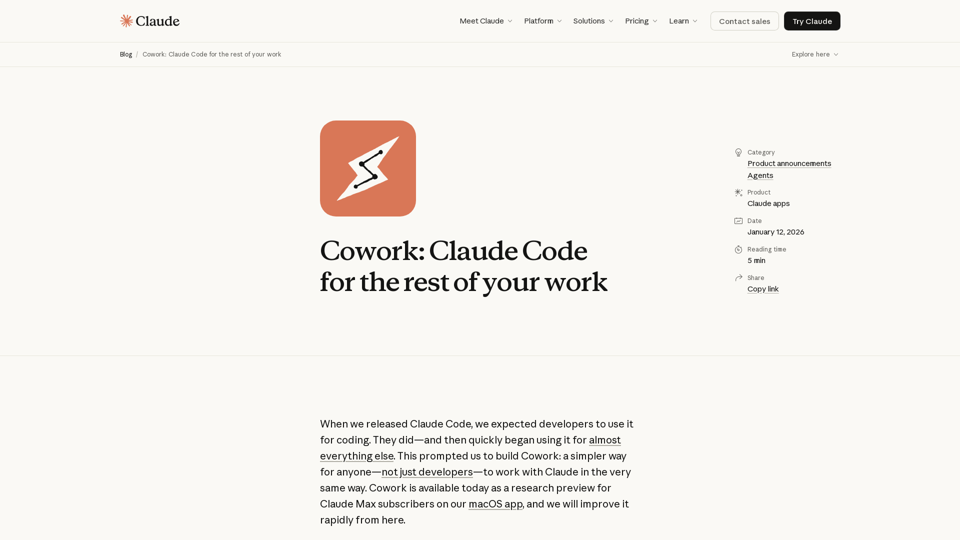
Claude Cowork is an innovative tool designed to seamlessly integrate Claude's advanced AI capabilities into your daily workflow. It offers a more intuitive and powerful way for anyone, not just developers, to interact with Claude. By providing Claude with access to a designated folder on your computer, Cowork empowers the AI to read, edit, and create files, transforming how you approach tasks.

Claude Cowork -Features

Overview

Claude Cowork is an advanced AI collaboration tool designed to empower users, beyond just developers, to work seamlessly with Claude. Built on the same foundational technology as Claude Code, Cowork allows Claude to interact directly with a user's local files and folders, providing a more integrated and autonomous AI assistant experience. It aims to simplify complex tasks by enabling Claude to read, edit, and create files, making it feel less like a conversational AI and more like a proactive coworker.

Main Purpose and Target User Group

To provide a simpler, more integrated, and autonomous way for non-developers to leverage Claude's capabilities for a wide range of work tasks, moving beyond simple conversations to direct file manipulation and project execution. It aims to enhance team productivity by streamlining workflows and automating routine or complex file-based operations.

Primarily Claude Max subscribers using the macOS app. The tool is designed for anyone who needs assistance with file organization, data processing (e.g., from screenshots to spreadsheets), document creation (e.g., report drafting from notes), and other non-coding tasks that involve interacting with local files.

Function Details and Operations

Users grant Claude access to a specific folder on their computer. Claude can then read, edit, and create files within that designated folder.

Once a task is set, Claude develops a plan and executes it, providing updates on its progress. This offers a higher degree of agency compared to standard conversational AI interactions.

Examples of Tasks:

  • Reorganizing downloads by sorting and renaming files.
  • Creating spreadsheets from unstructured data like expense screenshots.
  • Drafting reports from scattered notes or research materials.

Cowork can utilize existing Claude connectors to access external information, expanding its capabilities.

Includes an initial set of skills specifically designed to improve Claude's ability to create documents, presentations, and other file types.

When paired with Claude in Chrome, Cowork can perform tasks that require web browsing capabilities.

Eliminates the need for constant manual context provision or output formatting, allowing for a more continuous workflow.

Users can queue up multiple tasks, and Claude can work through them in parallel, enhancing efficiency.

User Control and Safety Features:

  • Explicit Access Control: Users explicitly choose which folders and connectors Claude can access, ensuring privacy and data security.
  • Action Confirmation: Claude asks for confirmation before taking significant actions, allowing users to steer or correct its course.
  • Prompt Injection Defenses: Built-in sophisticated defenses against attempts to alter Claude's plans through external content.
  • User Guidance: Emphasizes the importance of clear instructions, especially for potentially destructive actions like file deletion.

User Benefits

  • Increased Productivity: Automates tedious and time-consuming file management and content creation tasks.
  • Simplified Workflows: Reduces manual effort in providing context and formatting outputs.
  • Enhanced Efficiency: Allows for parallel task processing and more autonomous project completion.
  • Greater Control: Users maintain explicit control over Claude's access and actions.
  • Versatility: Extends Claude's capabilities beyond coding to a wide array of non-coding, file-based tasks.
  • Collaborative Feel: Designed to mimic the experience of working with a human coworker, with less back-and-forth.

Compatibility and Integration

Currently available as a research preview on the macOS app. Future plans include cross-device sync and Windows compatibility.

Requires a Claude Max subscription for access to the research preview.

Built on the same foundations as Claude Code; integrates with existing Claude connectors and can be paired with Claude in Chrome for browser-based tasks.

Customer Feedback and Case Studies

Currently in a research preview phase, actively seeking user feedback to learn how people use it and identify areas for improvement.

Expected to be used for tasks like file organization, data extraction from images, and drafting various types of documents.

Access and Activation Method

Currently available as a research preview.

Claude Max subscribers can access Cowork by downloading the macOS app and selecting "Cowork" in the sidebar.

Users on other plans can join a waitlist for future access.
Claude Cowork -Frequently Asked Questions

What is Claude Cowork?

Claude Cowork is a research preview designed to simplify how anyone can work with Claude, the large language model. It allows Claude to interact with a chosen folder on your computer, performing tasks like organizing files, creating spreadsheets from screenshots, or drafting reports from notes.

How is Claude Cowork different from a regular conversation with Claude?

In Claude Cowork, you grant Claude access to a specific folder on your computer. This enables Claude to read, edit, or create files within that folder. Unlike a regular conversation, Claude in Cowork operates with more agency, making a plan and steadily completing tasks while keeping you informed.

What kind of tasks can Claude Cowork help with?

Claude Cowork can handle a variety of tasks, including:

  • Re-organizing downloads by sorting and renaming files.
  • Creating new spreadsheets from lists of expenses in screenshots.
  • Producing first drafts of reports from scattered notes.
  • And many other non-coding tasks that involve file manipulation and content generation.

Can Claude Cowork integrate with other tools?

Yes, Claude Cowork can use your existing connectors to link to external information. Additionally, it includes initial skills to improve Claude's ability to create documents, presentations, and other files. When paired with Claude in Chrome, it can also complete tasks requiring browser access.

How does Claude Cowork ensure user control and safety?

You have explicit control over which folders and connectors Claude can access. Claude will also ask for confirmation before taking any significant actions, allowing you to steer or correct its behavior. However, users should be aware that Claude can take potentially destructive actions (like deleting files) if instructed, and there's a risk of "prompt injections" which Anthropic is actively working to mitigate.

Is Claude Cowork available to everyone?

Currently, Claude Cowork is available as a research preview for Claude Max subscribers on the macOS app. Anthropic plans to make improvements and expand availability, including cross-device sync and a Windows version, in the future.

Where can I find more information or support for Claude Cowork?

More detailed information and guidance on using Claude Cowork, especially regarding safety precautions, are available in the Anthropic Help Center.

Claude Cowork -Data Analysis

Latest Traffic Information

  • Monthly Visits

    -

  • Bounce Rate

    0.00%

  • Pages Per Visit

    0.00

  • Visit Duration

    00:00:00

  • Global Rank

    -

  • Country Rank

    -

Visits Over Time

Traffic Sources

  • direct:
    0.00%
  • referrals:
    0.00%
  • social:
    0.00%
  • mail:
    0.00%
  • search:
    0.00%
  • paidReferrals:
    0.00%
More data

Claude Cowork - Alternative

DataSquirrel.ai - AI-Powered Data Analytics for Organizations

DataSquirrel.ai offers fast, safe, and guided data analysis in plain English without the need for formulas or pivot tables. With AI-powered data analytics, organizations can benefit from automated combining, cleaning, pivoting, and visualizing data to create charts, reports, and interactive visualizations. The platform provides guided analysis, intuitive dashboards, and affordable pricing, making it ideal for data enthusiasts looking for simple solutions to complex data challenges. DataSquirrel.ai also offers features such as auto analysis, data cleaning, and the ability to share, comment, and download data without the need for ChatGPT upload.

--
Decktopus.com: AI-Powered Deck Building and Card Game Companion Tool

Decktopus.com:Create stunning presentations in seconds with Decktopus, the innovative AI presentation maker that transforms your title into a professional-looking presentation instantly.

--
Artificial Intelligence Editee - futuristic application you must see

Deeply.cz: Create top-notch content and graphics with the artificial intelligence application Editee at Deeply.cz. Experience breathtaking results with just one click.

--
DeepSeek V3

DeepSeek V3 - Advanced Search Technology & AI-Driven Insights for Enterprise Solutions

--
More Tags about: Claude Cowork