Free AI Tools

Open DeepSeek Harness Desktop

Open DeepSeek Harness Desktop - Open Source AI Coding Agent Workspace & Local AI Software

Open DeepSeek Harness Desktop

Open DeepSeek Harness Desktop -Introduction

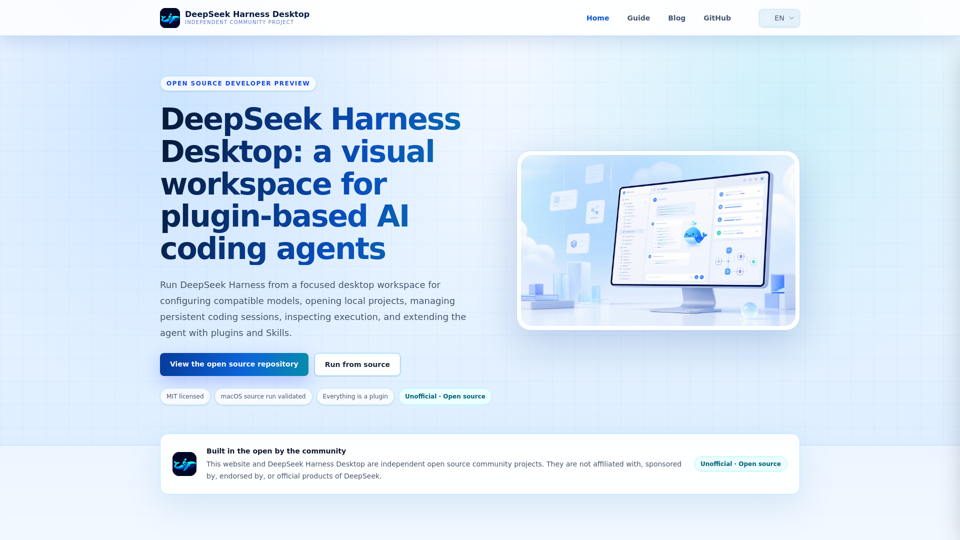
Open DeepSeek Harness Desktop is an independent, community-maintained visual workspace designed to enhance your AI coding experience. By providing a dedicated desktop environment for the DeepSeek Harness agent runtime, this open-source project allows developers to manage local projects, configure compatible AI models, and maintain persistent coding sessions with ease. Built with a focus on security and extensibility, the platform leverages a plugin-based architecture, ensuring that your workflow remains flexible and modular. Whether you are a developer looking to streamline your coding tasks or an enthusiast exploring advanced AI agent capabilities, Open DeepSeek Harness Desktop offers a secure, transparent, and highly customizable interface to interact with your coding agent directly from your machine.

Open DeepSeek Harness Desktop -Features

Overview

Open DeepSeek Harness Desktop is an independent, community-maintained AI desktop application that provides a visual workspace for the DeepSeek Harness coding agent. By wrapping the powerful Cordis-powered agent runtime in a hardened Electron window, it offers a secure, local-first environment for managing AI-assisted coding workflows.

Main Purpose and Target User Group

  • Developers: Managing local repositories who need persistent coding sessions.
  • Teams: Evaluating various compatible AI model providers.
  • Plugin and Skill Authors: Building and testing extensions within a unified environment.
  • Open Source Contributors: Interested in the architecture of local AI software.

Function Details and Operations

Compatible Model Configuration

Easily connect to DeepSeek or configure custom API base URLs, credentials, and model identifiers.

Local Workspace Management

Open project folders and maintain durable, persistent coding sessions with the ability to stream responses and manage history.

Agent Execution Inspection

Review records and key-step summaries to confirm tool activity and model reasoning.

Plugin and Skill Ecosystem

Utilize an "everything is a plugin" architecture to discover, install, and invoke extensions, tools, and workflows.

Customizable Interface

Personalize the workspace with custom color palettes and backgrounds.

Secure Desktop Host

Operates as a secure supervisor for the Harness process, utilizing Chromium sandboxing and disabled Node integration for safety.

User Benefits

  • Unified Workflow: Keeps all coding sessions, credentials, and plugin configurations in one place.
  • Privacy-First Design: Sensitive API keys remain within the Harness credentials service, and the desktop host does not bridge untrusted filesystem access.
  • Extensibility: The plugin-based architecture allows for deep customization of models, prompts, and agent capabilities.
  • Transparency: As an open-source project, users have full visibility into the code, ensuring no hidden telemetry or unauthorized data handling.

Compatibility and Integration

  • Model Support: Compatible with DeepSeek and other API-compatible model providers.
  • Platform Support: Currently validated for macOS (source run); Windows and Linux implementations are in active development.
  • Architecture: Integrates seamlessly with the existing Cordis plugin runtime, ensuring that the desktop layer acts as a host rather than a secondary, conflicting runtime.

Access and Activation Method

  • Source Access: The project is available via the official GitHub repository.
  • Installation: Users can clone the repository, install dependencies via pnpm, and build the application locally.
  • Execution: Run the application using the provided development scripts (e.g., pnpm run dev:desktop) to launch the local Harness process and the loopback Web UI.
  • Licensing: The software is released under the MIT License.

Open DeepSeek Harness Desktop -Frequently Asked Questions

What is Open DeepSeek Harness Desktop?

Open DeepSeek Harness Desktop (Opendshdesktop) is an independent, community-maintained AI desktop application that provides a visual workspace for the DeepSeek Harness coding agent. It allows developers to run the Harness runtime locally, manage persistent coding sessions, inspect agent execution, and extend functionality through a plugin-based architecture.

Is this an official DeepSeek product?

No. Open DeepSeek Harness Desktop is an independent open-source community project. It is not affiliated with, sponsored by, endorsed by, or an official product of DeepSeek.

Can I download a signed installer?

Currently, the project is in a transparent developer preview stage. While the macOS source workflow is validated, packaged and signed installers for Windows, Linux, and macOS are still in development. For now, users are encouraged to run the application from the source code.

Which model providers can I use?

The application is designed to be flexible. It comes configured to connect to DeepSeek by default, but you can also configure any compatible API base URL, custom model identifiers, and credential references within the application settings.

How are API keys handled?

Security and privacy are prioritized by design. The desktop host does not read or duplicate your API keys. All sensitive configuration remains managed by the Harness credentials service, ensuring your keys are not exposed to the desktop layer.

What does "everything is a plugin" mean?

This refers to the project's architecture, which utilizes the Cordis plugin system. Models, prompts, tools, policies, sandboxing, storage, Skills, and workflows are all implemented as plugins. This modular approach allows for high extensibility and customization of the agent's behavior.

Can I create plugins and Skills?

Yes. The platform is designed for developers to discover, install, inspect, and exercise extensions. As a plugin or Skill author, you can build and test your extensions directly within the same Harness session context used by the agent.

What license does the project use?

Open DeepSeek Harness Desktop is released under the MIT License, making it an open-source project that encourages community contribution and transparency.

Support & GitHub

For technical support, reporting issues, or contributing to the project, please visit the official GitHub repository: https://github.com/flaqai/open-deepseek-harness-desktop

Official Website

You can find more information, guides, and project updates at the official website: https://opendshdesktop.com/

Open DeepSeek Harness Desktop -Data Analysis

Latest Traffic Information

  • Monthly Visits

    -

  • Bounce Rate

    0.00%

  • Pages Per Visit

    0.00

  • Visit Duration

    00:00:00

  • Global Rank

    -

  • Country Rank

    -

Visits Over Time

Traffic Sources

  • direct:
    0.00%
  • referrals:
    0.00%
  • social:
    0.00%
  • mail:
    0.00%
  • search:
    0.00%
  • paidReferrals:
    0.00%
More data

Open DeepSeek Harness Desktop - Alternative

Codium AI

Codium AI - Enhance Programming Productivity with Automated Code Generation and AI Coding Assistant

--
Accelerate the Development of AI Applications | Scale AI

Trusted by world class companies, Scale delivers high quality training data for AI applications such as self-driving cars, mapping, AR/VR, robotics, and more.

--
Akkio: AI Data Platform for Agencies

Experience the power of Generative BI. Akkio is an easy-to-use, scalable, and affordable AI platform for real-time decision making. Try it free.

--
AI Data Analytics & Automation Tools - Formula Bot

AI data analytics, prep and automation tools empowering users to work faster & smarter with data and spreadsheets.

--
More Tags about: Open DeepSeek Harness Desktop