Printery - Print for Figma

Printery - Print for Figma - Figma Print Plugin for Print-Ready PDF Export of Print Designs with CMYK, Bleed & ICC

Printery - Print for Figma

Printery - Print for Figma -Introduction

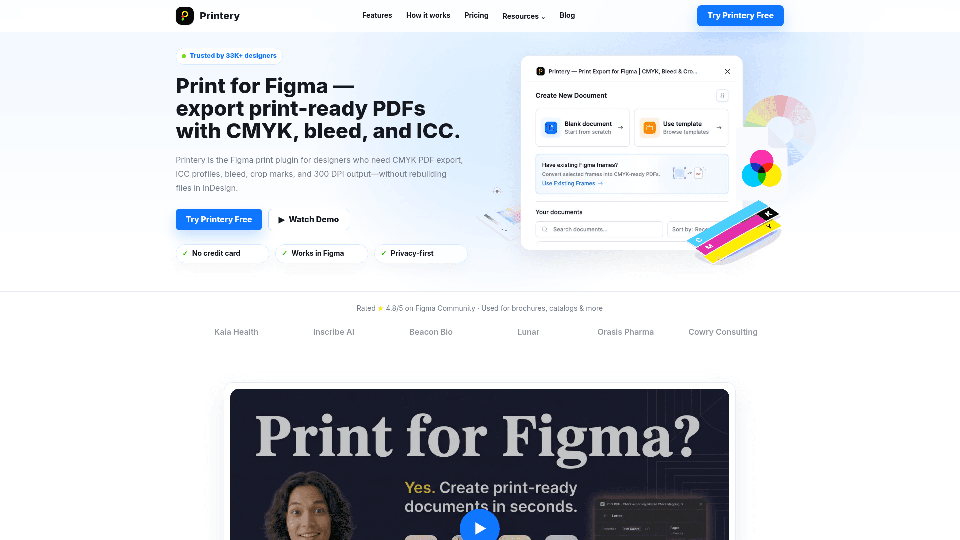
Printery - Print for Figma is the indispensable Figma print plugin that empowers designers to seamlessly transition their digital creations into professional, print-ready documents. This innovative Figma printing tool bridges the gap between Figma's digital design environment and the rigorous demands of print production. With Printery, you can confidently export print designs from Figma, ensuring your files are perfectly prepared for commercial printing. It's the ultimate solution for a streamlined Figma export print workflow, allowing you to achieve high-quality, production-ready output directly from your favorite design platform.

Printery - Print for Figma -Features

Overview

Printery - Print for Figma is a powerful Figma plugin designed to transform digital designs into professional, print-ready PDF files. It addresses the inherent limitations of Figma for print production by adding essential export controls such as CMYK conversion, ICC profiles, bleed, crop marks, and high DPI output, eliminating the need for designers to rebuild files in traditional print software like InDesign.

Main Purpose and Target User Group

The main purpose of Printery is to enable designers to create and export production-ready print files directly from Figma, ensuring color accuracy, correct formatting, and compliance with print industry standards. It caters to a broad audience including:

  • Solo Designers: For creating brochures, posters, packaging, and marketing materials.
  • Enterprise Marketing Teams: To produce flyers and catalogs efficiently without extensive design handoffs.
  • Print Shops: To receive files with correct bleed, crop marks, and color profiles, streamlining their workflow.
  • Agencies: To deliver print files to clients faster and with confidence.
  • Anyone needing professional PDF exports for printing who primarily works within the Figma ecosystem.

Function Details and Operations

Printery offers a comprehensive suite of features for professional print output:

  • CMYK PDF Export: Exports true CMYK PDFs directly from Figma, essential for commercial printing.
  • RGB to CMYK Mapping: Provides control over how RGB brand colors convert to CMYK for consistent output.
  • ICC Profile Support: Allows embedding industry-standard ICC profiles like ISO Coated v2 and FOGRA39, ensuring color accuracy as required by printers.
  • Pantone Spot Colors: Supports the use of Pantone spot colors with density control for brand-critical jobs and specialized printing.
  • Overprint Control: Enables setting fill and stroke overprint where specific press behavior is required.
  • Bleed & Crop Marks: Adds standard (3mm, 5mm) or custom bleed values and crop marks with a single click, crucial for professional trimming.
  • DPI Control: Exports designs at various DPI settings (72, 150, 300 DPI) and includes image downsampling capabilities.
  • Multi-Page & Batch Export: Facilitates exporting full documents, spreads, and multiple frames simultaneously, handling complete documents rather than single artboards.
  • Document Presets: Create print-ready documents with preset sizes, custom bleed, crop marks, and registration marks.
  • Page Layout & Margins: Configure safety zones to protect critical content and choose from standard paper sizes (Letter, Legal, A1–A6, B5).

Workflow

  1. Create Documents: Set up print documents with paper size, orientation, and page count.
  2. Edit Design: Design layouts in Figma with bleed guides, safety zones, and color settings.
  3. Export: Export print-ready CMYK PDFs with ICC profiles, bleed, and crop marks via the plugin interface.

User Benefits

  • Professional Print Output: Delivers files that meet industry standards for commercial printing.
  • Time and Cost Savings: Eliminates the need to transfer designs to other software like InDesign for print preparation, streamlining workflows and reducing production time.
  • Color Accuracy: Ensures consistent and predictable brand color output through CMYK mapping and ICC profile embedding.
  • Confidence in Handoff: Provides print-ready files that can be sent to print shops with assurance, minimizing errors and revisions.
  • Enhanced Figma Capabilities: Extends Figma's functionality to cover critical print production requirements that are natively missing.
  • Versatility: Suitable for a wide range of print materials including brochures, catalogs, packaging, posters, flyers, and marketing collateral.

Compatibility and Integration

Printery is a dedicated plugin for Figma, integrating directly into the Figma design environment. It is an independent third-party plugin, enhancing Figma's capabilities without being affiliated with Figma, Inc.

Customer Feedback and Case Studies

  • High Rating: Rated ★ 4.8/5 on the Figma Community based on 35+ reviews.
  • Verified User Testimonials: Users praise its ability to deliver professional print production, flawless CMYK colors, bleed, and crop marks, and its potential to replace InDesign for many projects.
  • Trusted by 33K+ Designers: Indicates widespread adoption and reliability within the design community.
  • Used by Notable Companies: Employed by organizations such as Kaia Health, Inscribe AI, Beacon Bio, Lunar, Orasis Pharma, and Cowry Consulting for their print needs.

Access and Activation Method

  • Installation: Available as a plugin within the Figma Community.
  • Free Plan: Offers a free tier including 5 document creations per week, 2 PDF exports per month (CMYK or RGB), bleed/crop marks/safety zones, preset page sizes, and a DPI checker.
  • Pro (Monthly): Priced at $12/month, unlocking unlimited documents and exports, ICC profiles, custom color mappings, Pantone/spot color density control, overprint settings, multi-page PDFs, and priority email support.
  • Pro (Yearly): Priced at $144/year (or a special founder price of $48/year), offering all Pro features with a significant saving compared to the monthly plan, plus early access to new features.
  • Subscription Management: Subscriptions can be managed and canceled via a link in the confirmation email from PayPro Global (the payment provider) or by contacting support.

Printery - Print for Figma -Frequently Asked Questions

What is Printery - Print for Figma?

Printery - Print for Figma is a plugin that allows you to turn your Figma files into printer-ready PDFs. It simplifies the process by exporting CMYK PDFs, embedding ICC profiles, and adding bleed & crop marks, enabling you to confidently send files to a print shop.

What features does Printery - Print for Figma offer?

Printery adds essential production export controls missing from native Figma for professional print work. These include CMYK PDF export with RGB→CMYK mapping, ICC profile embedding (e.g., ISO Coated v2, FOGRA39), Pantone spot colors and overprint support, bleed & crop marks, DPI control, and multi-page PDF export.

How much does Printery - Print for Figma cost?

Printery offers a Free plan for basic exports, allowing you to try it out. When you need advanced production features like CMYK + ICC workflows, spot colors/overprint, and multi-page export, you can upgrade to a Pro plan.

How to export CMYK PDF from Figma using Printery?

To export a CMYK PDF from Figma using Printery:

  1. Install the Printery plugin.
  2. Select the frames or pages you wish to export.
  3. Choose "CMYK" as the Color mode.
  4. Select an ICC profile that your print shop uses (e.g., ISO Coated v2).
  5. Set the DPI (300 DPI is standard for commercial printing).
  6. Enable bleed & crop marks.
  7. Export your print-ready PDF.

Can I use Figma for print design with Printery?

Yes, Figma works effectively for print design when you integrate the right export controls. Printery helps you manage the specific print-production requirements such as CMYK/ICC, bleed, crop marks, and DPI, ensuring your files are suitable for professional printers, not just screens.

Do I still need InDesign for print design if I use Printery?

For many projects like brochures, flyers, posters, packaging, and marketing materials, you may no longer need InDesign, as they can often be produced directly from Figma with Printery. InDesign remains a better fit for long-form documents (e.g., books, complex magazines) or highly specialized typography workflows. Choose the tool that best suits your project's needs.

What ICC profile should I use for printing with Printery?

It's best to ask your print shop which ICC profile they prefer. Common choices include ISO Coated v2 (EU) and SWOP (US). Once you know, match this profile in Printery for consistent and accurate output.

What DPI should I use for printing from Figma with Printery?

For commercial printing, 300 DPI (dots per inch) is the standard for photos and raster artwork to ensure high quality. Lower DPI settings (150 or 72) should only be used for drafts or when file size is a greater concern than print quality.

How do I cancel my Printery subscription?

When you subscribed, you received a confirmation email from PayPro Global (our payment provider). This email contains a link to your Customer Panel, where you can manage and cancel your subscription at any time. If you cannot locate this email, please contact us at [email protected] with your Order ID (found on your PayPro receipt), and we will assist you with the cancellation.

How can I contact Printery - Print for Figma support?

For customer service and support, you can reach us at: [email protected].

How to get started with Printery - Print for Figma?

You can get started by installing the Printery plugin from the Figma Community and trying the Free plan. Look for "Try Printery Free" buttons on our website to begin creating print-ready PDFs.

How to log in to my Printery - Print for Figma account?

If you have a Pro subscription, you can manage it via the Customer Panel link provided in your subscription confirmation email from PayPro Global. For any issues accessing your account or managing your subscription, please contact [email protected].

Printery - Print for Figma -Data Analysis

Latest Traffic Information

  • Monthly Visits

    -

  • Bounce Rate

    0.00%

  • Pages Per Visit

    0.00

  • Visit Duration

    00:00:00

  • Global Rank

    -

  • Country Rank

    -

Visits Over Time

Traffic Sources

  • direct:
    0.00%
  • referrals:
    0.00%
  • social:
    0.00%
  • mail:
    0.00%
  • search:
    0.00%
  • paidReferrals:
    0.00%
More data

Printery - Print for Figma - Alternative

Spellbook - AI Contract Drafting & Review

Spellbook uses GPT-4 and other large language models to review and suggest language for your contracts, right in Microsoft Word.

--
DecorAI

Generate your dream room in seconds.

--
Arthub.ai: Discover, Upload and Share AI Generated Art

Arthub.ai is a creative community for showcasing, discovering and creating AI generated art.

--
Creatie | An AI empowered design tool for creatives

Product design made delightful with AI magic. Ideate, design, collaborate, prototype, handoff - all in one tool, all made easier and more joyful with AI.

--
More Tags about: Printery - Print for Figma