Free AI Tools

Triple 3D

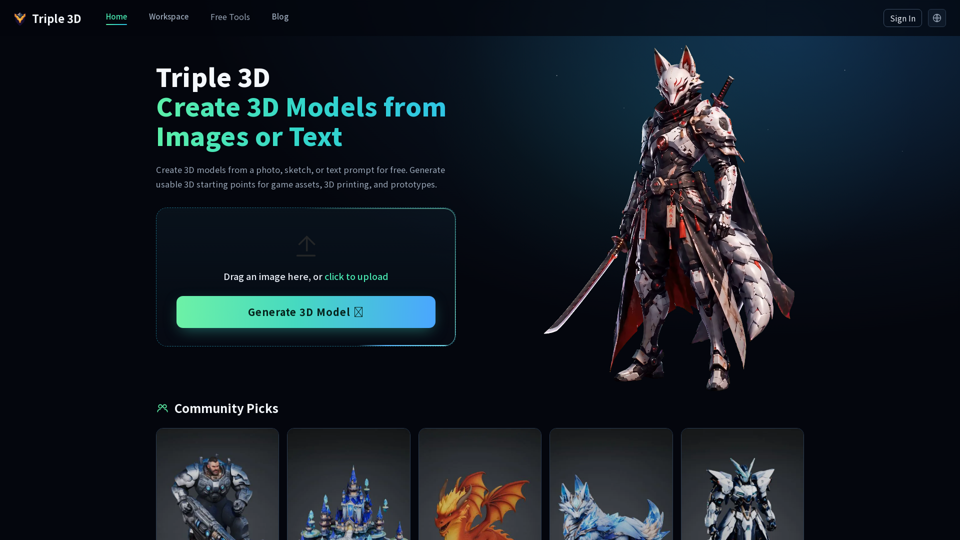
Triple 3D - AI 3D Modeling & Text-to-3D Asset Generation for Games and Printing

Triple 3D

Triple 3D -Introduction

Triple 3D is an innovative AI-powered platform designed to streamline the 3D creation process for game developers, 3D printing enthusiasts, and digital artists. By leveraging advanced image-to-3D and text-to-3D generation technology, the tool allows users to transform simple sketches, product photos, or descriptive prompts into high-quality 3D models in minutes. Whether you are prototyping game assets, designing custom miniatures, or creating unique 3D-printable objects, Triple 3D eliminates the need for manual modeling from scratch. The platform provides a seamless workflow that includes online model inspection and versatile export options, ensuring that creators can quickly iterate on their ideas and integrate their designs into professional software like Blender, Unity, or various slicing tools. With its focus on shape clarity and practical utility, Triple 3D serves as an essential starting point for anyone looking to accelerate their creative pipeline and bring digital concepts to life with ease.

Triple 3D -Features

Overview

Triple 3D is a powerful AI-driven platform designed to streamline the 3D creation process. By leveraging advanced AI 3D modeling technology, it enables users to transform simple inputs—such as photos, sketches, or text prompts—into functional 3D assets. It serves as an essential bridge between conceptual ideas and production-ready models, focusing on high-quality geometry, texture clarity, and practical utility for both digital and physical applications.

Main Purpose and Target User Group

The primary purpose of Triple 3D is to accelerate the 3D design workflow by automating the generation of base meshes. It is specifically built for:

  • Game Developers: Indie creators and studios looking to rapidly prototype props, background assets, and stylized environment pieces.
  • 3D Printing Enthusiasts: Makers who want to turn photos of real-world objects or creative concepts into printable STL files.
  • Designers and Creatives: Professionals needing quick product mockups, character concepts, or visual references for client presentations.

Function Details and Operations

Triple 3D offers a versatile suite of generation and conversion tools:

  • AI Generation Modes: Supports Image-to-3D (photos, sketches, product shots) and Text-to-3D (descriptive prompts) workflows.
  • Specialized Workflows: Includes dedicated modes for Game Assets (focusing on polycount and engine readiness) and 3D Printing (focusing on watertightness, scale, and wall thickness).
  • Integrated Viewers & Converters: Features built-in viewers for STL, OBJ, and GLB files, alongside robust conversion tools to ensure file compatibility across different software environments.
  • Interactive Preview: Users can rotate, inspect, and evaluate the model’s silhouette, texture, and structure directly in the browser before downloading.

User Benefits

  • Efficiency: Drastically reduces the time spent on manual "blocking out" of 3D models.
  • Accessibility: Lowers the barrier to entry for 3D design, allowing users without advanced modeling skills to generate complex shapes.
  • Iterative Freedom: Enables the rapid creation of multiple versions, allowing users to compare silhouettes and styles before committing to a final design.
  • Practicality: Unlike purely aesthetic AI tools, Triple 3D focuses on producing "usable" geometry that serves as a solid foundation for further refinement in professional software.

Compatibility and Integration

Triple 3D is designed to fit seamlessly into existing creative pipelines. Generated models can be exported and imported into industry-standard software, including:

  • 3D Modeling Suites: Blender, Maya, and ZBrush.
  • Game Engines: Unity and Unreal Engine.
  • Slicing Software: Compatible with all major slicers for 3D printing preparation.
  • File Formats: Supports standard industry formats like STL, OBJ, and GLB for maximum interoperability.

Access and Activation Method

Users can access Triple 3D directly through their web browser at https://triple3d.ai/. The platform offers a free-to-start model, allowing users to test the AI generation capabilities immediately. Simply sign in to the workspace, upload your reference image or enter a text prompt, and begin generating your 3D assets instantly.
Triple 3D -Frequently Asked Questions

What is Triple 3D and how does it work?

Triple 3D is an AI-powered platform that allows you to create 3D models from simple text prompts or 2D images. By leveraging advanced AI, it estimates shape, depth, and texture to generate 3D assets that can be used for game development, 3D printing, and creative prototyping. Simply upload an image or enter a description, and the tool will generate a 3D model for you to preview and download.

Can I use Triple 3D for 3D printing?

Yes. Triple 3D is specifically designed to help creators generate STL-ready concepts. You can turn photos or sketches into printable models for toys, miniatures, and custom objects. The platform allows you to inspect your model's shape and scale before exporting it to your preferred slicing software for final preparation and printing.

Is Triple 3D suitable for game development?

Absolutely. Triple 3D helps game developers and indie creators quickly generate base meshes, background props, and low-poly assets. It saves time during the initial "blocking" phase, allowing you to move faster from a concept to a usable 3D asset that can be further refined, rigged, or optimized in engines like Unity or Unreal Engine.

Is Triple 3D free to use?

Triple 3D offers free 3D generation, making it an excellent tool for testing ideas, brainstorming, and prototyping. You can generate multiple versions of your concepts to compare results before deciding which models to refine for your final projects.

What file formats can I export from Triple 3D?

Triple 3D provides various export options to ensure compatibility with your existing 3D workflow. You can preview your models directly in the browser and download them for use in professional software such as Blender, or for direct use in 3D printing slicers and game engines.

Triple 3D -Data Analysis

Latest Traffic Information

  • Monthly Visits

    -

  • Bounce Rate

    0.00%

  • Pages Per Visit

    0.00

  • Visit Duration

    00:00:00

  • Global Rank

    -

  • Country Rank

    -

Visits Over Time

Traffic Sources

  • direct:
    0.00%
  • referrals:
    0.00%
  • social:
    0.00%
  • mail:
    0.00%
  • search:
    0.00%
  • paidReferrals:
    0.00%
More data

Triple 3D - Alternative

Getfloorplan.com:Generate 2D and 3D Floor Plans with Artificial Intelligence Technology

GetFloorPlan offers 2D floor plan downloads, enabling users to create stunning 3D renderings with furniture and immersive virtual tours, revolutionizing the way you visualize and interact with your space.

--
Create 3D Images Online

Make3d.app: Convert your images to 3D with Make3D, a powerful online tool that transforms your pictures into stunning three-dimensional creations.

--
AI Powered Chatbot Development and Conversational AI Solutions

Revolutionize your Mac experience with Chaibar, a cutting-edge AI assistant that seamlessly integrates the power of ChatGPT and Dall-E, empowering you to unlock unprecedented creativity and productivity.

--
More Tags about: Triple 3D