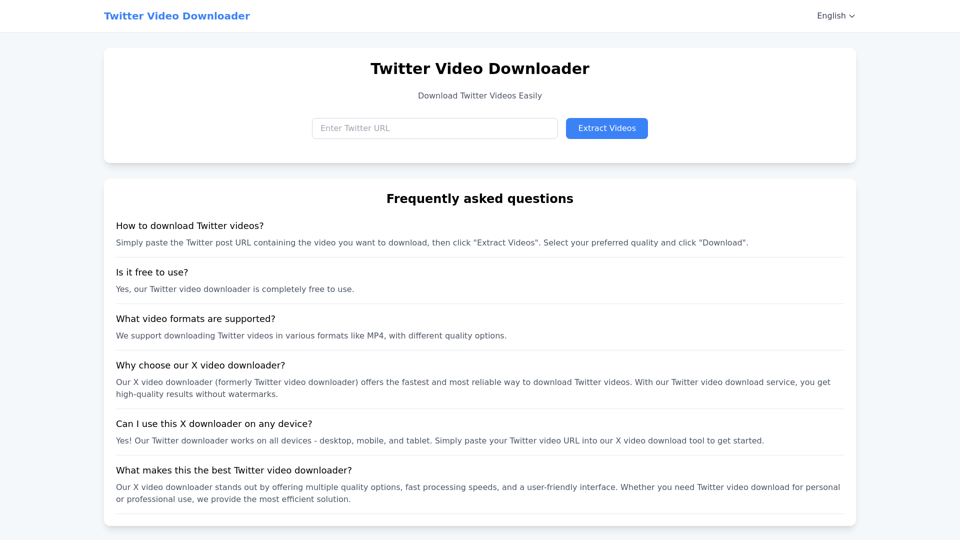
Twitter video downloader

Twitter video downloader - Twxsave | Download & Save Twitter/X Videos Easily

Twitter video downloader

Twitter video downloader -Introduction

Twitter Video Downloader is a free online tool that lets you easily save videos from Twitter/X to your device. Simply paste the Twitter post URL containing your desired video, and our downloader will extract high-quality MP4 files without watermarks. Compatible with all devices including smartphones, tablets, and computers, this service provides a quick way to archive your favorite Twitter content for offline viewing. The platform supports multiple video resolutions while maintaining original quality, making it ideal for personal use, content creators, and social media professionals. No registration or software installation required - just paste, download, and enjoy your Twitter videos anytime.

Twitter video downloader -Features

Overview

Twxsave is a free, fast, and reliable tool for downloading high-quality videos from Twitter/X without watermarks.

Key Features

  • Simple Extraction – Paste the Twitter/X video URL and click "Extract Videos" to download.
  • Multiple Resolutions – Supports HD, 1080p, and 4K in MP4 format.
  • No Watermarks – Maintains original video quality.
  • Cross-Platform – Works on desktop, mobile, and tablet without installation.
  • Fast Processing – Quick downloads with minimal delay.

User Benefits

  • Free & Unlimited – No hidden costs or restrictions.
  • High-Quality Output – Preserves original resolution.
  • No Registration Needed – Instant access without sign-ups.
  • Easy to Use – Intuitive interface for seamless downloads.

Compatibility

  • Browser Support – Works on Chrome, Firefox, Safari, Edge, etc.
  • Mobile-Friendly – Optimized for smartphones and tablets.

How to Use

  1. Visit Twxsave.com.
  2. Paste the Twitter/X video link.
  3. Click "Extract Videos" and select quality.
  4. Download instantly.

Twxsave provides a secure and efficient way to save Twitter videos for personal or professional use.

Twitter video downloader -Frequently Asked Questions

Frequently Asked Questions

How can I download Twitter videos using Twxsave?

Simply paste the URL of the Twitter post containing the video into the input field on Twxsave. Click "Extract Videos," select your preferred quality, and then click "Download" to save the video.

Is Twxsave free to use?

Yes, Twxsave is completely free with no hidden charges.

What video formats does Twxsave support?

Twxsave supports MP4 format with multiple quality options, including HD and 4K where available.

Why should I use Twxsave over other Twitter video downloaders?

Twxsave is fast, reliable, and user-friendly, offering high-quality downloads without watermarks.

Can I use Twxsave on mobile devices?

Yes! Twxsave works on smartphones, tablets, and desktops. Just visit the website and paste the Twitter video URL.

What makes Twxsave the best Twitter video downloader?

Twxsave provides speed, multiple quality options, and ease of use for a seamless experience.

Is downloading Twitter videos legal?

Twxsave allows downloading publicly available videos for personal use, but users must comply with Twitter's terms and copyright laws.

How can I contact Twxsave support?

For assistance, visit the official Twxsave website for support options.

Do I need to log in or sign up for Twxsave?

No, Twxsave requires no login or registration. Visit https://twxsave.com to start downloading instantly.

Twitter video downloader -Data Analysis

Latest Traffic Information

  • Monthly Visits

    -

  • Bounce Rate

    0.00%

  • Pages Per Visit

    0.00

  • Visit Duration

    00:00:00

  • Global Rank

    -

  • Country Rank

    -

Visits Over Time

Traffic Sources

  • direct:
    0.00%
  • referrals:
    0.00%
  • social:
    0.00%
  • mail:
    0.00%
  • search:
    0.00%
  • paidReferrals:
    0.00%
More data

Twitter video downloader - Alternative

ContentRadar AI

ContentRadar AI - Fast and Efficient Content Creation and Repurposing with AI-Powered Tools

--
CoolParse

CoolParse - No-Code Web Scraping & Data Extraction Tool for Easy Parsing

--
Copus

Copus - Explore Copus Platform Features, Solutions, and Technology for Collaborative Monetization

--
Copy AI

Copy.ai: Discover Copy AI, the leading AI writing tool designed for effortless content generation and automated copywriting. Streamline your marketing copy creation with our innovative platform, enabling your team to automate tedious tasks and achieve unprecedented success. Experience the future of copywriting with Copy AI today!

--
More Tags about: Twitter video downloader