Overview
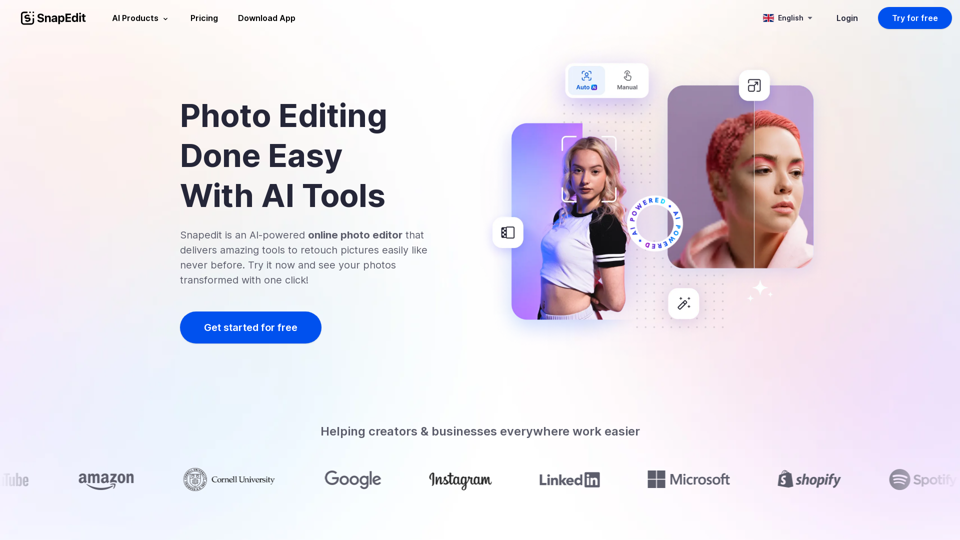
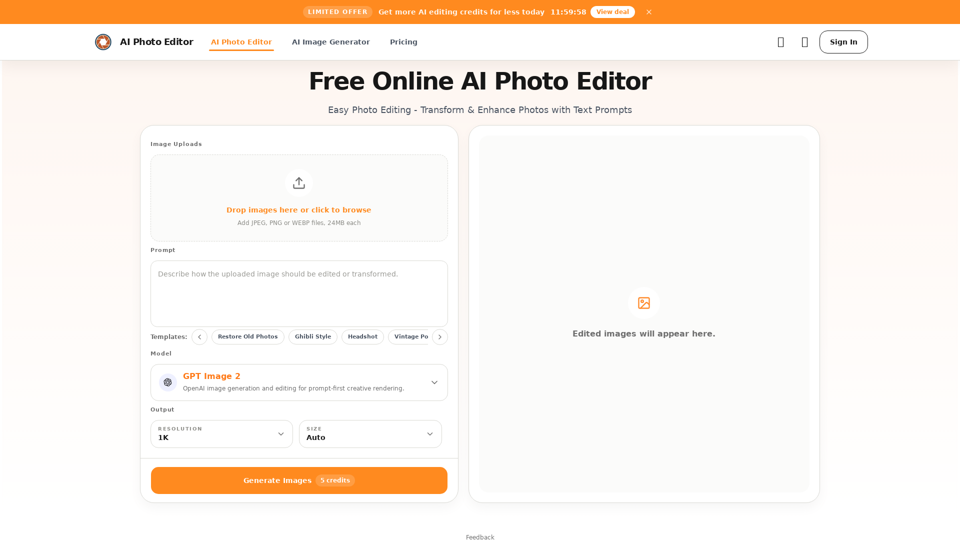
The AI Photo Editor is a free online tool designed for easy photo editing, transformation, and enhancement using artificial intelligence and text prompts. It offers a prompt-first creative rendering experience, allowing users to achieve professional-quality results quickly and efficiently. The platform supports various AI models for diverse creative needs and provides a streamlined workflow from upload to download.
Main Purpose and Target User Group
Main Purpose
To simplify and accelerate photo editing by leveraging AI for targeted changes, background replacement, detail improvement, stylization, and rapid iteration. It aims to provide a powerful yet accessible editing solution without requiring advanced design skills.
Target User Group
- Personal Users: For cleaning up travel photos, street shots, and daily captures.
- E-commerce Businesses: Store operators, brands, and independent sellers needing to improve product images and create consistent visuals.
- Professionals & Individuals: For polishing profile photos, headshots, and personal branding images.
- Marketing & Content Teams: For fast iteration of marketing assets, social visuals, and campaign pages.
- Designers: To explore concepts and iterate on ideas more quickly.
- Small Business Owners: To create professional-looking images without a photographer.
- Content Creators: For generating engaging social media visuals.
- Startups: For high-quality launch visuals and investor presentations on a budget.
- Beginners & Non-designers: Due to its low learning curve and prompt-based interface.
Function Details and Operations
- Prompt-Based Editing: Users upload an image and describe desired changes (remove, fix, replace, change) using simple text prompts.
- Precise Content Control: Enables targeted adjustments to people, objects, areas, and small details, allowing for local element adjustments, subject focus improvement, and visual attention reorganization.
- Background Replacement: Automatically replaces backgrounds with new settings based on prompts, maintaining natural subject edges, ideal for e-commerce and brand consistency.
- Detail Enhancement: Improves lighting, refines skin texture, strengthens product details, and increases overall image clarity for portraits, product shots, and close-ups.
- Multiple Reference Images: Supports using several reference images to unify style, borrow composition, or merge elements for consistent visual output.
- Fast Stylization: Transforms original photos into various visual styles (e.g., Ghibli, Polaroid, vintage, illustration) for creative refresh and social content.
- AI Models: Offers a choice of AI models including GPT Image 2 (flexible, iterative), Nano Banana Pro (premium, consistent), Seedream (advanced, specialized), and Qwen (intelligent, complex scenes).
- Templates: Provides pre-defined templates for common tasks like "Restore Old Photos," "Ghibli Style," "Headshot," "Vintage Portrait," "Cinematic Portrait," and "Skin Enhancement."
- Object Removal: Allows users to describe and remove unwanted objects, people, or distractions, with the AI rebuilding the background automatically.
- Image Uploads: Supports JPEG, PNG, and WEBP files, up to 24MB each.
- Output Settings: Offers resolution options like 1K and Auto size.
- Workflow: Upload image -> Describe change with prompt -> Generate -> Review -> Download.
User Benefits
- Accelerated Workflow: Significantly faster than traditional photo editing by automating repetitive tasks like cutouts, masking, and local cleanup.
- Reduced Learning Curve: Accessible to non-designers and beginners as it requires no advanced retouching skills or knowledge of complex software like Photoshop.
- Streamlined Process: A focused, single-page workflow from upload to export minimizes tool switching and context changes.
- Enhanced Iteration & Consistency: Facilitates easier reuse of ideas, step-by-step refinement, and building repeatable editing processes and standards.
- Professional Quality: Delivers high-quality, consistent, and natural-looking results suitable for commercial and personal use.
- Cost-Effectiveness: Reduces the need for expensive photoshoots or professional designers for many tasks.
- Quality Preservation: Designed to maintain key details, ensuring final images remain sharp and usable.
Compatibility and Integration
- Supported Input Formats: JPEG, PNG, WEBP.
- Output: High-quality images suitable for web, social media, e-commerce, and business use.
- Platform: Online, browser-based tool, accessible from any device with internet access.
- Commercial Use: Edited images can be used for various commercial purposes including e-commerce, marketing, social media, and websites.