Overview
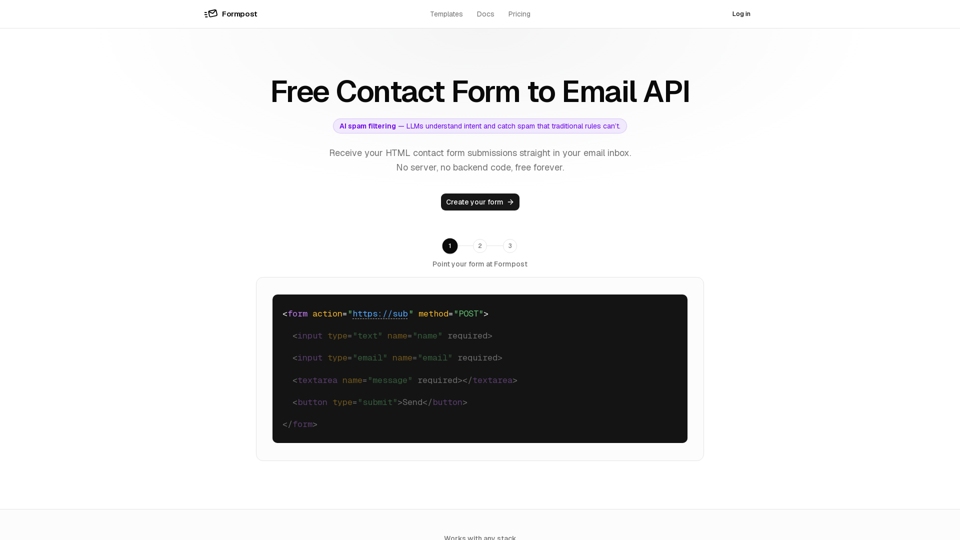
Formpost AI is a powerful, serverless contact form-to-email API designed for developers and site owners who need to collect data without managing backend infrastructure. It acts as a bridge between static web forms and your inbox, offering advanced AI-driven spam protection, secure storage, and seamless integration with any tech stack.
Function Details and Operations
AI Spam Filtering
Utilizes LLMs to understand intent and block spam that traditional rule-based systems miss.
Multi-Layered Security
Includes honeypot, Turnstile/hCaptcha/reCAPTCHA, keyword rules, and domain locking.
Flexible Data Handling
Supports file attachments stored securely on Amazon S3.
Custom Redirects
Allows users to redirect visitors to custom "thank you" pages after submission.
Autoresponder
Automatically sends personalized acknowledgment emails to form submitters.
Webhooks and API
Forwards submissions to Slack, Discord, Telegram, or custom endpoints via JSON; includes a read-only REST API for data retrieval.
Data Ownership
Provides full export/delete capabilities with no tracking pixels or data profiling.
User Benefits
No Backend Required
Eliminates the need for server management, patching, or runtime costs.
Design Freedom
Works as an API, not a widget, allowing users to maintain full control over their HTML and CSS.
Reliability
Built on a high-performance Go service that ensures fast submission processing without slowing down the user experience.
Security
End-to-end encryption for data in transit and at rest.
Scalability
Suitable for everything from simple marketing contact forms to complex job application portals and lead capture systems.
Compatibility and Integration
Frontend Frameworks
React, Next.js, Vue, Nuxt, Svelte, Astro, Angular, Alpine.js.
Static Site Generators
Hugo, Jekyll, Eleventy, Gatsby.
CMS/Platforms
WordPress, Webflow, Framer.
Hosting
Compatible with Vercel, Netlify, Cloudflare Pages, GitHub Pages, Firebase, and more.
Access and Activation Method
1. Create
Sign up on the website to generate a unique form endpoint.
2. Configure
Set up your preferences in the dashboard, including spam filtering, autoresponders, and notification destinations.
3. Integrate
Paste the provided endpoint URL into your HTML form’s action attribute. No additional deployment or server-side coding is required.