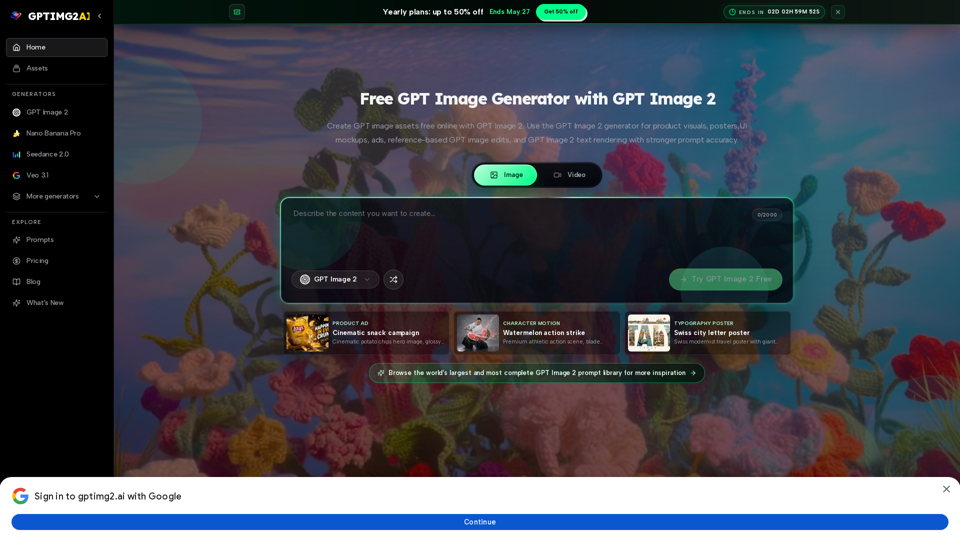
Overview
GPT IMG 2 AI is a free online AI image generator designed for creating high-quality, production-ready image assets. It specializes in prompt accuracy, robust text rendering, precise editing controls, and visual directions suitable for review, revision, and reuse across various creative workflows. The platform emphasizes "Brief Fidelity," "On-Image Text," "Edit Control," and "Workflow Reach" as its core advantages.
Main Purpose and Target User Group
Main Purpose
To empower users to generate precise, editable, and commercially viable AI images for a wide array of applications, from marketing campaigns and product visuals to educational content and entertainment assets. It aims to streamline the creative production process by delivering images that closely match the initial brief.
Target User Group
- Creative Professionals: Brand Designers, Art Directors, Creative Strategists, Game Artists, Motion Designers.
- Marketing & E-commerce Teams: E-commerce Leads, Product Marketers, Social Media Managers, Agency Producers.
- Businesses & Startups: Startup Founders, teams needing product visuals, ad creatives, UI mockups, posters, and reference-based image edits.
- Educators: Education Designers creating diagrams, illustrative scenes, and visual lessons.
- Anyone requiring strong prompt accuracy, readable in-image text, and controlled image editing for their visual projects.
Function Details and Operations
- AI Image Generation: Utilizes advanced AI models to generate images from textual prompts (Text to Image AI).
- Superior Prompt Accuracy (Brief Fidelity): Maintains the core subject, layout, and message even with longer, more specific instructions, ensuring the output aligns closely with the creative brief.
- Enhanced On-Image Text Rendering: Capable of rendering clear and readable text within images, crucial for posters, labels, menus, UI mockups, and advertisements.
- Advanced Edit Control: Allows for targeted refinements to layout, text, styling, and subject fidelity, enabling precise adjustments without needing to rewrite the entire prompt. Supports specific feedback like "keep the subject," "revise the copy," or "change the background."
- Reference-Based Editing: Transforms existing images (e.g., portraits) into stylized versions while preserving key details like identity, hairstyle, and expression. Excels at maintaining product cues, character details, and brand references during edits.
- High-Resolution Output: Generates review-ready 2K and 4K still images with intricate detail and clean layouts.
- Workflow Integration: Designed to support a multi-step creative process:
- Describe the Image: Define subject, framing, materials, lighting, brand cues, and any required in-image text.
- Generate First Pass: Create an initial image from a prompt, a reference image, or both.
- Refine Details: Make targeted edits to layout, text, styling, and subject fidelity.
- Send Downstream: Utilize the approved image for campaigns, storefronts, storyboards, or as a guide for video generation.
- Diverse Use Cases: Supports creation of product ads, cinematic campaigns, character motion, stylized edits, commerce mockups, infographics, typography posters, campaign key visuals, explainers, product page imagery, storyboards, and character/world exploration.
User Benefits
- Significant Time and Cost Savings: Reduces the time spent on revisions and concept development, allowing teams to get review-ready visuals faster and test directions before committing to expensive production paths.
- Increased Workflow Efficiency: Streamlines the transition from concept to final asset, enabling quicker alignment and iteration across creative teams.
- Higher Quality and Production-Ready Output: Delivers images with superior text clarity, reference fidelity, and overall polish, making them suitable for immediate use in professional contexts.
- Enhanced Creative Control and Consistency: Provides precise control over image generation and editing, ensuring outputs consistently meet specific creative and brand requirements.
- Versatility Across Industries: Applicable for a broad range of creative needs in commerce, design, education, marketing, and entertainment.
- Seamless Integration with Video Workflows: Facilitates a smooth transition from still image approval to video generation, improving efficiency for motion designers.
Compatibility and Integration
- Video Workflow Integration: Designed to connect with video generation tools, allowing approved still images to serve as foundational frames for subsequent video production.
- Comparison Advantage: Outperforms other AI image models like Nano Banana, GPT Image 1.5, and Midjourney V7 in critical areas such as text clarity, reference fidelity, review-ready output, production strength, and controlled iteration.
- Ecosystem of AI Models: Part of a larger platform offering various image and video generators (e.g., Nano Banana Pro, Seedance 2.0, Veo 3.1), providing a comprehensive suite of AI creative tools.
Customer Feedback and Case Studies
- Brand Designers: Praise prompt fidelity and reduced time explaining image concepts.
- E-commerce Leads: Appreciate faster review cycles for product visuals and iterative styling.
- Creative Strategists: Highlight the impact of readable in-image text on production design.
- Startup Founders: Value the ability to quickly establish strong key visuals for launches.
- Motion Designers: Benefit from approving still frames first, leading to more efficient video generation.
- Social Media Managers: Find it useful for generating diverse promo art and thumbnails from a single direction.
- Product Marketers: Use it to test visual directions cost-effectively before major campaigns.
- Education Designers: Find it easier to create coherent diagrams and illustrative scenes for lessons.
- Agency Producers: Emphasize the importance of reference-based revision for maintaining approved directions.
- Art Directors: Note faster team alignment due to visual representation over verbal descriptions.
- Game Artists: Utilize it for consistent character and environment exploration.
Access and Activation Method
- Online Access: Available as an online platform, accessible via web browser.
- Free Credits: Users can get 30 free credits upon signing up to try the generator.
- Free Trial: Offers a "Try GPT Image 2 Free" option.
- Account Required: Requires users to log in, suggesting an account creation process.
- Paid Plans: Offers yearly plans with discounts, indicating a credit-based or subscription model for extended use.