Hotel Lobby AI Filter
Overview
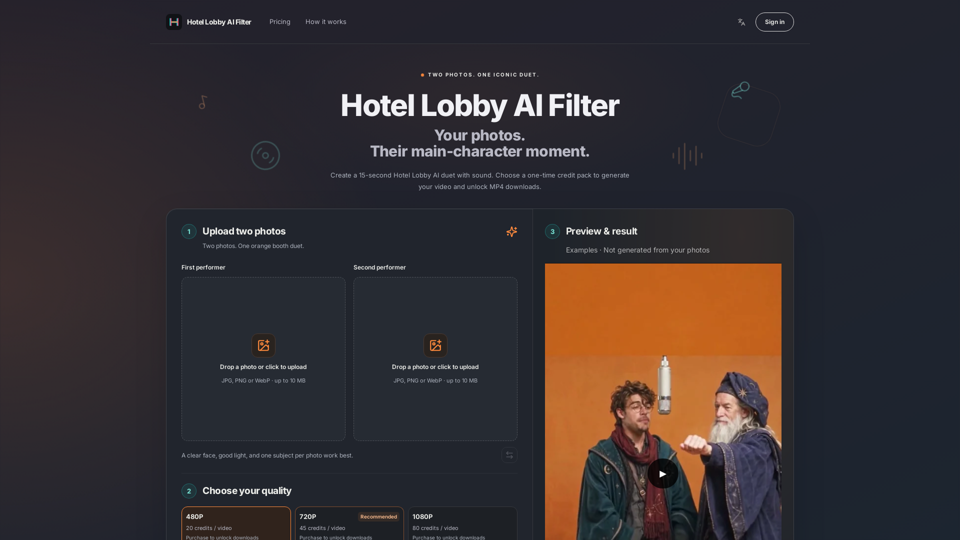
Hotel Lobby AI Filter is an independent creative tool designed to transform two individual portraits into a synchronized 15-second rap duet. Inspired by the iconic "Hotel Lobby" performance, the tool places two subjects into a stylized orange-booth setting with a shared hanging microphone, automatically syncing them to the original soundtrack without the need for manual editing or prompt engineering.
Main Purpose and Target User Group
Main Purpose
To enable users to create high-quality, viral-style "Migos AI" or "AI rap duo" videos using only two static photos.
Target User Group
Content creators, social media enthusiasts, friends, and couples looking to participate in trending AI video formats for platforms like TikTok, Instagram Reels, and YouTube Shorts.
Function Details and Operations
Automated Duet Generation
Converts two separate, static portraits into a dynamic, animated 15-second video.
Preset Environment
Features the signature orange-background, shared-microphone aesthetic.
Audio Integration
Includes the original "Hotel Lobby" soundtrack excerpt pre-synced to the animation.
Flexible Framing
Supports both 9:16 (vertical) for mobile-first social media and 16:9 (landscape) aspect ratios.
Resolution Options
Users can choose between 480P (preview), 720P (HD), and 1080P (Full HD) outputs based on their credit allocation.
User Benefits
Zero Editing Required
No timeline editing, prompt writing, or animation skills needed; the AI handles all movements and lip-syncing.
Remote Collaboration
Allows users to pair individuals who have never met or posed together by uploading separate photos.
High-Quality Output
Provides professional-grade MP4 downloads suitable for high-resolution social media sharing.
Transparent Pricing
Uses a one-time credit pack system with no automatic renewals or hidden subscription fees.
Compatibility and Integration
File Support
Accepts JPG, PNG, and WebP image formats (up to 10 MB per file).
Platform Ready
Optimized for seamless sharing on TikTok, Reels, and Shorts.
Cross-Device Access
Web-based interface allows users to manage projects and download results from any browser-enabled device.
Access and Activation Method
Account Registration
Users must sign in or create an account to generate videos and access their personal "My Videos" dashboard.
Credit System
Access is activated by purchasing one-time credit packs. Credits are deducted based on the chosen resolution (480P: 20 credits; 720P: 45 credits; 1080P: 80 credits).
Workflow
- Upload two clear, individual portraits.
- Select desired resolution and aspect ratio.
- Generate the video and download the final MP4 file once processing is complete.