Overview
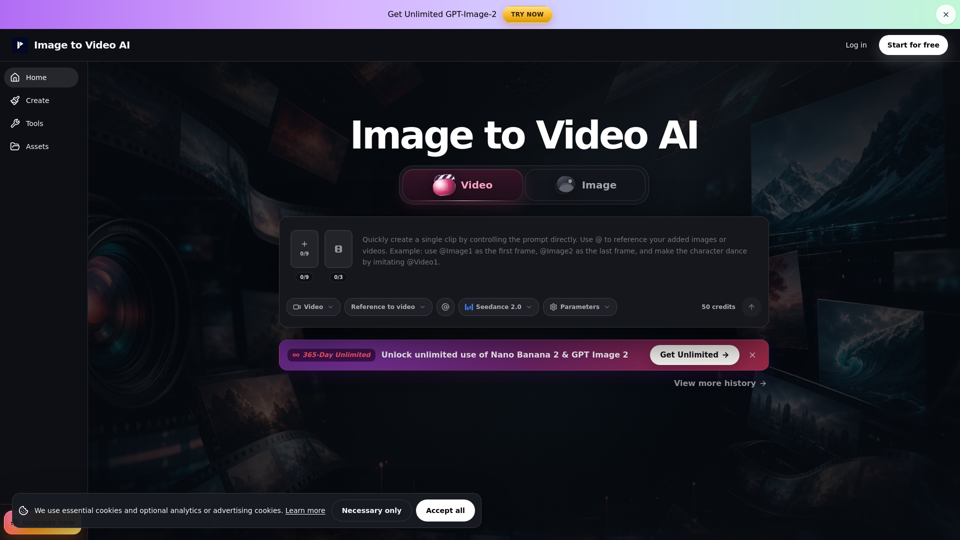
Image to Video AI is a professional-grade online workspace designed to transform static visuals into dynamic video content. By leveraging advanced AI video generator technology, the platform allows users to convert image to video seamlessly, providing a versatile AI animation tool for creators, marketers, and businesses looking to enhance their digital presence with motion graphics AI.
Main Purpose and Target User Group
The primary purpose of this tool is to bridge the gap between static imagery and engaging video content. It is specifically engineered for:
- Product Managers and E-commerce owners: Creating product demos.
- Social Media Managers: Producing Reels, Shorts, and paid ad creative.
- Digital Artists and Designers: Animating posters, thumbnails, and concept art.
- Creative Agencies: Requiring fast, high-quality motion layers for landing pages and presentations.
Function Details and Operations
The platform offers three distinct workflows to ensure maximum creative control:
- Text/Image to Video: Ideal for single-image animations, social hooks, and quick product clips.
- Frames to Video: Best for controlled transitions, such as before-and-after shots, product reveals, and specific scene changes.
- Reference to Video: Uses uploaded assets (images, video, or audio) to guide style, character direction, and timing.
- Operational Steps: Users simply upload a source asset, provide a concise one-sentence prompt describing the desired motion, and preview the clip before final export.
User Benefits
- Efficiency: Rapidly generate motion content without the need for complex animation software.
- Consistency: Using a source image provides a visual anchor, making it easier to maintain brand identity, product details, and character features.
- Flexibility: Supports various aspect ratios (16:9, 9:16, 1:1) to ensure content is ready for any social platform.
- Cost-Effective: Free credits are available upon signup, with failed jobs not consuming credits, allowing for iterative creative testing.
Compatibility and Integration
- Supported Formats: Compatible with standard image formats including JPG, PNG, JPEG, and WebP.
- Platform Readiness: Optimized for creating draft clips for major social platforms like Instagram Reels, TikTok, and YouTube Shorts.
- Workflow Integration: Designed to fit into existing creative pipelines, allowing users to generate short clips and edit them together for longer, more complex video projects.
Customer Feedback and Case Studies
Users frequently utilize the platform for:
- Product Clips: Turning clean product shots into professional reveals with gentle rotations or lighting shifts.
- Portrait Animation: Adding subtle, realistic motion to character concepts and portraits.
- Campaign Visuals: Animating posters and thumbnails to increase engagement on landing pages.
- Creative Testing: Rapidly prototyping ad concepts before committing to final, high-budget production.
Access and Activation Method
- Getting Started: Users can sign up at the official website to receive free credits.
- Account Tiers: While free access is available for testing, paid plans are recommended for professional use, offering benefits such as watermark-free exports, enhanced privacy controls, and suitability for commercial production handoffs.
- Support: Dedicated support is available for troubleshooting and guidance on optimizing generation results.