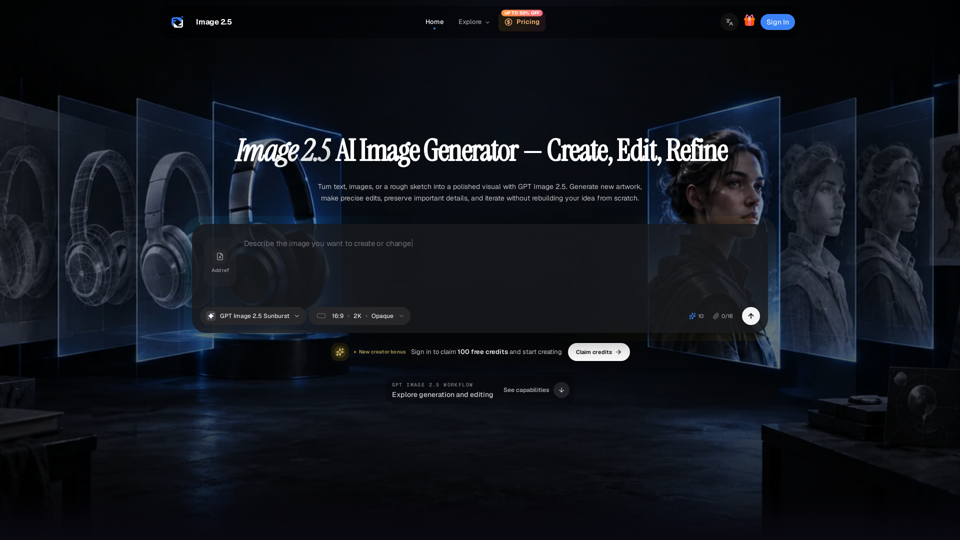
Overview
Image 2.5 is a cutting-edge AI image generation and editing platform designed to streamline professional visual production. Built upon the powerful GPT Image 2.5 model family, it offers a focused browser-based workflow that allows users to create, refine, and iterate on high-quality visuals using text prompts, reference images, or rough sketches.
Main Purpose and Target User Group
The primary purpose of Image 2.5 is to provide a versatile tool for high-quality visual creation, ranging from product campaigns and infographics to character design and storyboards. It is specifically designed for:
- Marketers and Advertisers: Creating consistent product shots and ad variations.
- Designers and Creatives: Developing structured layouts, diagrams, and narrative storyboards.
- Agencies and Teams: Managing high-volume commercial visual projects with a need for precision and brand consistency.
Function Details and Operations
- Dual Model Architecture: Choose between the Sunburst model for maximum editing precision and quality, or the Flare model for high-speed, everyday generation.
- Multi-Modal Input: Start projects using written briefs, uploaded reference images, or hand-drawn sketches.
- Advanced Editing Tools: Perform targeted edits using masks or direct instructions to change colors, materials, or backgrounds while preserving the integrity of the original subject.
- Iterative Workflow: Refine images across multiple turns in a continuous conversation, allowing for precise adjustments without needing to restart the generation process.
- Layout & Infographic Control: Enhanced capabilities for building visual hierarchies, spacing, and structured information layouts.
User Benefits
- Consistency: Maintain brand identity across campaigns by using product references to keep shapes, labels, and materials coherent.
- Character Preservation: Keep character features, wardrobe, and proportions consistent across different poses and frames.
- Efficiency: Reduce production time with high-speed generation and partial-image streaming previews.
- Flexibility: Scale from quick drafts to 4K-ready assets with adjustable quality modes (Low to Max).
Compatibility and Integration
- Format Support: Exports in PNG, JPEG, and WebP formats, with support for transparent backgrounds.
- Resolution: Supports various aspect ratios (square, portrait, landscape) and custom dimensions up to 4K.
- Platform: A browser-based workspace accessible via desktop, ensuring a seamless creative pipeline without the need for complex software installations.
Access and Activation Method
- Getting Started: Users can sign in to the Image 2.5 platform to claim a new creator bonus of 100 free credits.
- Pricing Plans: Flexible credit-based pricing is available, including Starter, Pro, and Premium tiers, with options for monthly or annual billing.
- Commercial Use: Paid plans include commercial licenses, making it suitable for professional and business-grade visual production.