Product Features of Omni Flash
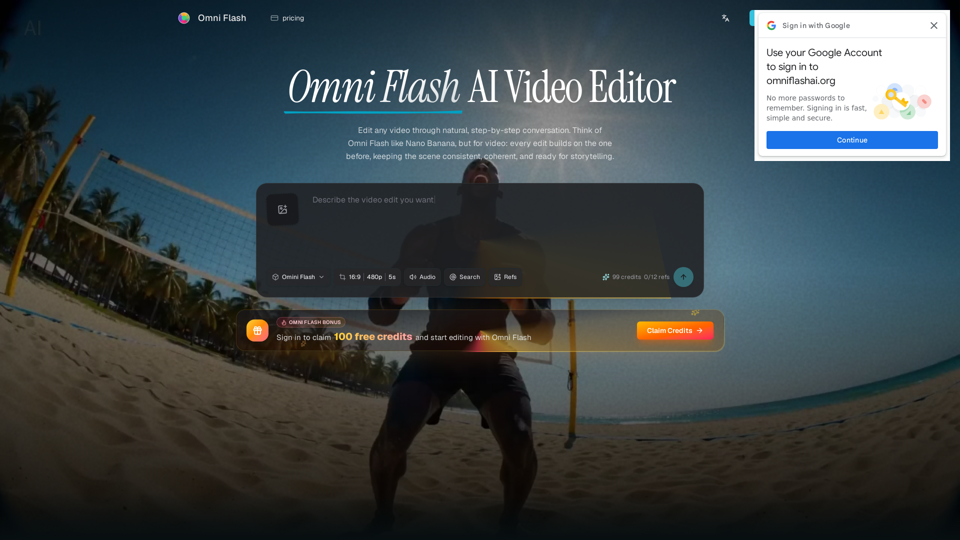
Omni Flash is an innovative AI-powered online video editor that enables users to edit any video through natural, step-by-step conversation. It transforms prompts, diverse references (images, text, video, audio), and existing media into coherent video edits, ensuring scene consistency across multiple refinement turns.
-
Key differentiators: Conversation-first editing, multi-turn refinement, comprehensive multimodal reference input, and integration of real-world knowledge (physics, history, culture) for realistic and meaningful outputs.
-
Main purpose: Revolutionize video editing with an intuitive, controllable AI platform that lets creators generate and refine complex video scenes using natural language and varied references—bypassing traditional timelines while maintaining precision and consistency.
-
Target user group:
- Creative directors, video marketing leads, storyboard artists, motion designers, art directors, and independent filmmakers.
- Any video creator or content professional needing precise edits, reference-driven changes, and consistent scene continuity.
-
Function details and operations:
- Conversational editing: Request changes to action, mood, objects, camera angles, or effects using plain language without restarting.
- Multi-turn refinement: Iteratively refine action, style, characters, camera, and environments step-by-step, with each edit building on the previous one.
- Multimodal reference input: Guide edits with images, text briefs, video clips, audio cues, sketches, motion references, or style inputs.
- Scene coherence and consistency: Maintain consistent characters, objects, motion, and scene logic across multiple edits and transformations.
- Character and object replacement: Swap characters/objects via prompts (optionally with reference images) while preserving motion, timing, and dialogue continuity.
- World transformation: Change aesthetic, action, environment, or visual effects while preserving underlying scene logic.
- Real-world knowledge integration: Ground edits in physics, history, science, cultural context, and narrative logic for believable scenes.
- Text-to-video sync: Render text that clearly connects and syncs with on-screen action.
-
Workflow steps:
- Upload source: Upload a video, image, sketch, audio cue, or text brief; add references for tighter creative control.
- Describe edit: Instruct Omni Flash to modify action, style, character, object, camera, environment, text, or effects using natural language.
- Refine in conversation: Make iterative follow-up edits while maintaining overall scene coherence.
- Export result: Generate a polished video output combining instructions, references, and world-aware details.
-
User benefits:
- Enhanced creative control: Precise control via conversational prompts and diverse references.
- Significant time and effort savings: Avoid complex timelines, masks, and manual layer work.
- Believable and consistent outputs: Consistent characters/objects/actions grounded in real-world physics and narrative logic.
- Unparalleled editing flexibility: Reimagine actions, apply new styles, or swap elements without breaking continuity.
- Accessibility to advanced editing: Achieve complex effects and transformations using natural language.
-
Compatibility and integration:
- Platform: Online, web-based AI video editor accessible from modern browsers.
- Input formats: Video files, images, text, audio clips, and sketches.
- Output formats: Polished video outputs ready for various uses.
- Integration: Standalone AI editing platform integrating multimodal inputs into a cohesive video narrative.
-
Access and activation method:
- Availability: Accessible online via a web browser.
- Pricing model: Free tier with daily credits; paid plans for higher volume usage and expanded workflows.
- Activation: Sign in to claim initial free credits and start editing immediately.
- Trial: Free to try with complimentary credits upon sign-up.