What is Unscreen?
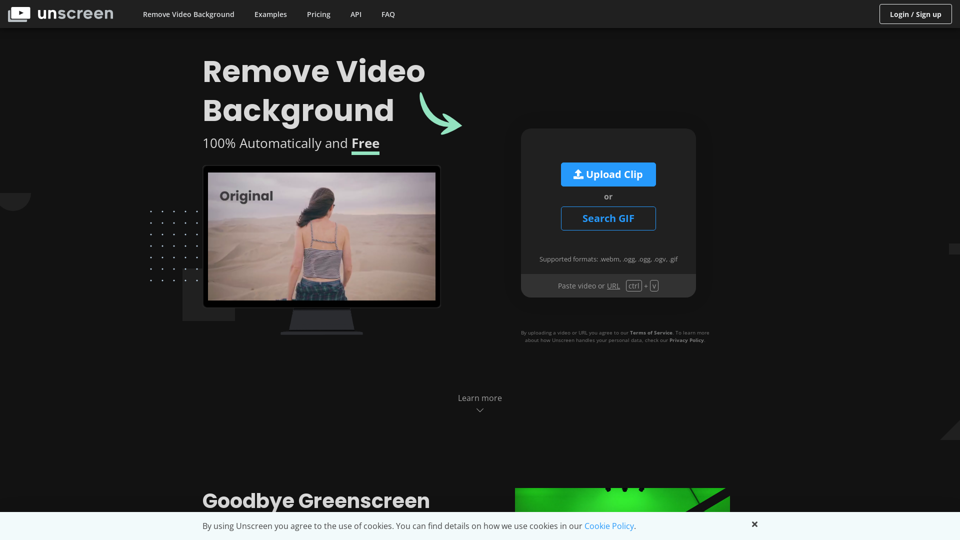
Unscreen is an AI-driven platform that provides access to a vast array of AI technologies for various needs, including video background removal.
How can I use Unscreen for free?
Every user can utilize Unscreen for free up to a certain limit. Subscribing to the platform grants additional benefits and extended access beyond the free usage limits.
Features of Unscreen
100% Automatically and Free
Unscreen analyzes your video 100% automatically and generates a high-quality result without requiring complex and fiddly techniques like chroma keying and greenscreens.
Amazingly Accurate
Unscreen's AI technology provides amazingly accurate results, making it easy to remove video backgrounds.
Pricing of Unscreen
Unscreen offers different pricing plans, including a free plan with limited usage and a Pro plan with additional features and extended access.
API and Plugins of Unscreen
Unscreen provides an API and plugins for Adobe Premiere Pro and After Effects, making it easy to integrate with your workflow.
![Deepfakes Web | Make Your Own Deepfake! [Online App]](https://img.tap4.ai/tools/2024/6/16/deepfakesweb-com-thumbnail-1718526608.png)